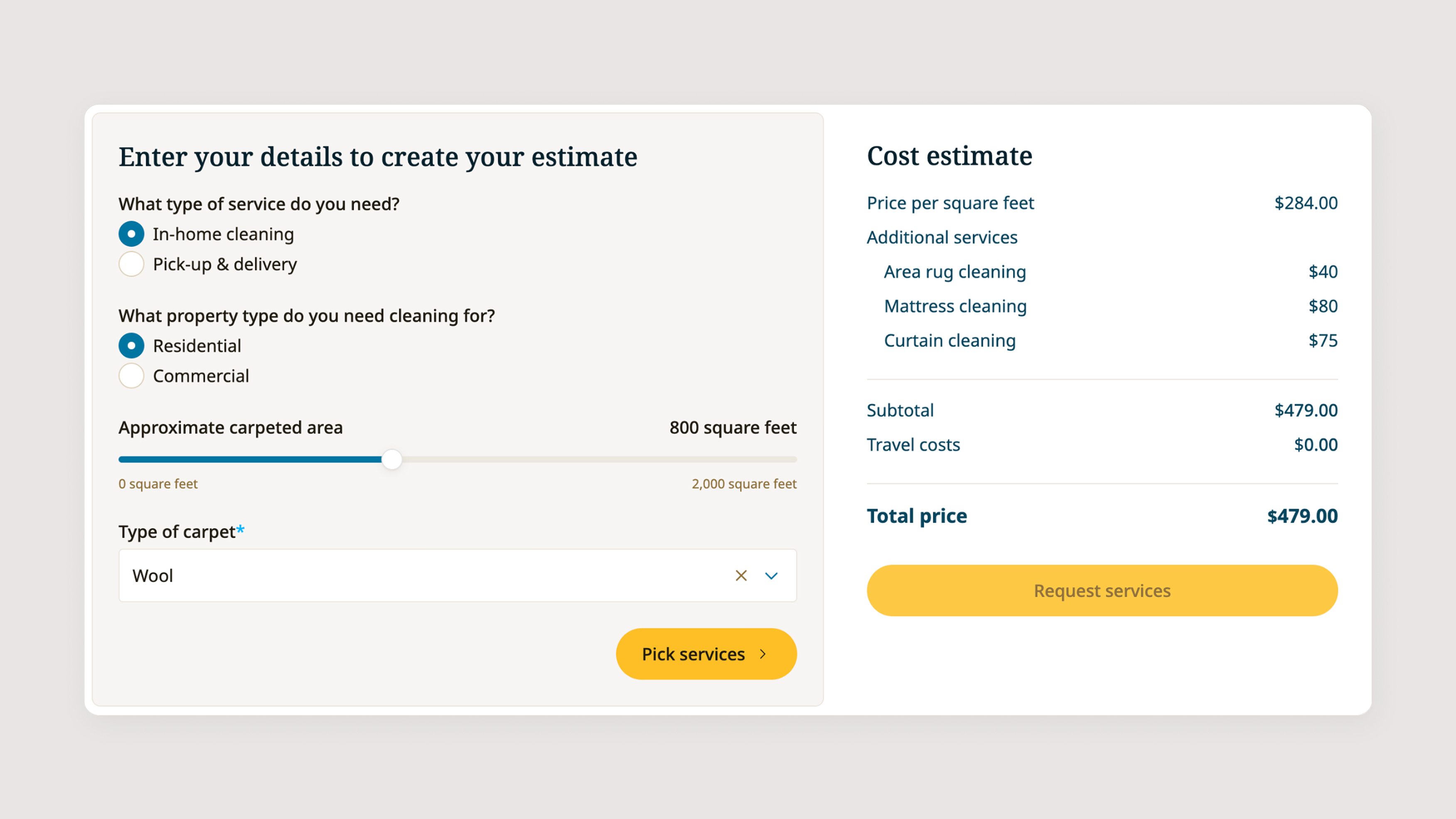
A two-step carpet cleaning quote calculator that lets customers build their own estimate and submit a booking request in one flow. The live cost panel updates throughout both steps, so every submission arrives with pricing already calculated and all the details needed to confirm the job.
The template includes:
Step 1: Estimate
- Service type selector (In-home cleaning or Pick-up and delivery)
- Property type selector (Residential or Commercial)
- Carpeted area slider from 0 to 2,000 square feet
- Carpet type dropdown for material-based pricing
- Live cost estimate panel showing price per square foot, subtotal, travel costs, and total price, updating in real time
Step 2: Services and details
- Odor removal and stain removal yes/no toggles
- Specific cleaning concerns text field
- Optional photo upload for carpet condition reference
- Additional services checklist including upholstery cleaning, area rug cleaning, mattress cleaning, curtain cleaning, and Other, each priced and reflected in the summary
- Additional message field
- Preferred cleaning day date picker
- Preferred cleaning time dropdown with selectable time windows
- Location address field with configurable service area message
- Contact fields including first name, last name, email, and international phone number
The cost estimate panel persists across both steps and updates with every selection.
Follow these steps to make the template your own:
- Configure service type options Update the service type labels and set any pricing difference between in-home and pick-up and delivery
- Set property type pricing Assign a price per square foot to each property type
- Update the carpet type dropdown Edit the material options and configure any price modifier per carpet type
- Set the area slider range Adjust the minimum, maximum, and default square footage to match the jobs you typically handle
- Configure travel cost calculation Set the rate or distance threshold used to calculate travel costs from your base location
- Update additional service options and prices Edit the checklist labels and assign a flat price to each additional service
- Configure odor and stain removal pricing Set the cost added when each toggle is switched to yes
- Update time slot options Edit the cleaning time dropdown to reflect your actual scheduling availability
- Update the service area message Edit the location field helper text to reflect your operating region
- Customise the contact form fields Add or remove fields to match the information you need before confirming a booking
- Connect form submissions Link the submit action to your email, CRM, or scheduling tool
- Embed or publish standalone Use the template as a dedicated quote page or embed it within your existing website
- Match your branding Update colours, fonts, and button styles throughout
- Test all service and area combinations Verify pricing calculates correctly before going live