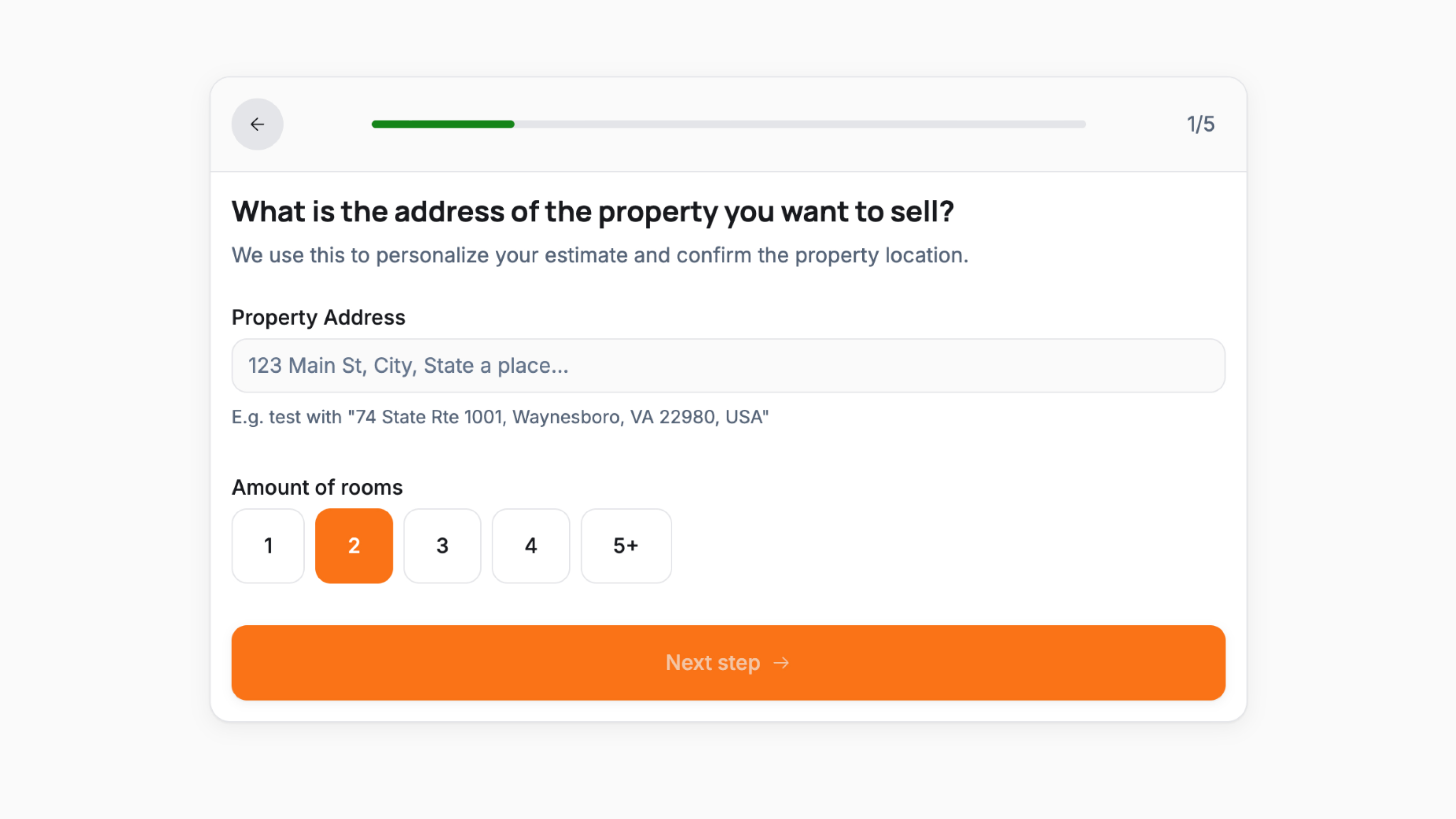
A five-step cash offer estimator that guides homeowners through a short qualification flow and delivers a personalised offer range at the end. Contact details are captured before the result is shown, ensuring every completed submission is a motivated, qualified lead.
The flow covers five steps:
- Step 1 collecting the property address via a location input and room count via a numbered selector (1 through 5+)
- Step 2 asking for property condition with three radio options: Move-in ready, Needs some work, and Major repairs needed, each with a short description
- Step 3 asking for the seller's timeline with four options: As soon as possible, Within 30 days, Within 90 days, and I am flexible, each with a supporting description
- Step 4 collecting full name, phone number with international selector, and email address before revealing the result
- Step 5 displaying the estimated offer range as a min/max figure, a configurable disclaimer, and a full-width confirm CTA with urgency messaging
A progress bar and step counter are visible throughout the entire flow.
Follow these steps to make the template your own:
- Update address field helper text Edit the placeholder and example text to reflect your service area
- Configure room count options Adjust the selector range to match the property types you buy
- Update condition options Edit the labels and descriptions to reflect how condition affects your offer
- Update timeline options Edit the labels and sub-descriptions to match the urgency tiers you use to prioritise leads
- Configure the offer range logic Set the calculation rules that determine the min/max output based on address, rooms, condition, and timeline inputs
- Update the contact step copy Edit the headline and helper text to set the right expectations before the result is revealed
- Customise the results screen Update the disclaimer text and CTA label to reflect your actual follow-up process and response time
- Connect form submissions Link the submit action to your CRM, email tool, or dialler so leads are routed immediately
- Match your branding Update colours, fonts, and any logo throughout all steps
- Test all condition and timeline combinations Verify the offer range calculates correctly across all input paths before going live