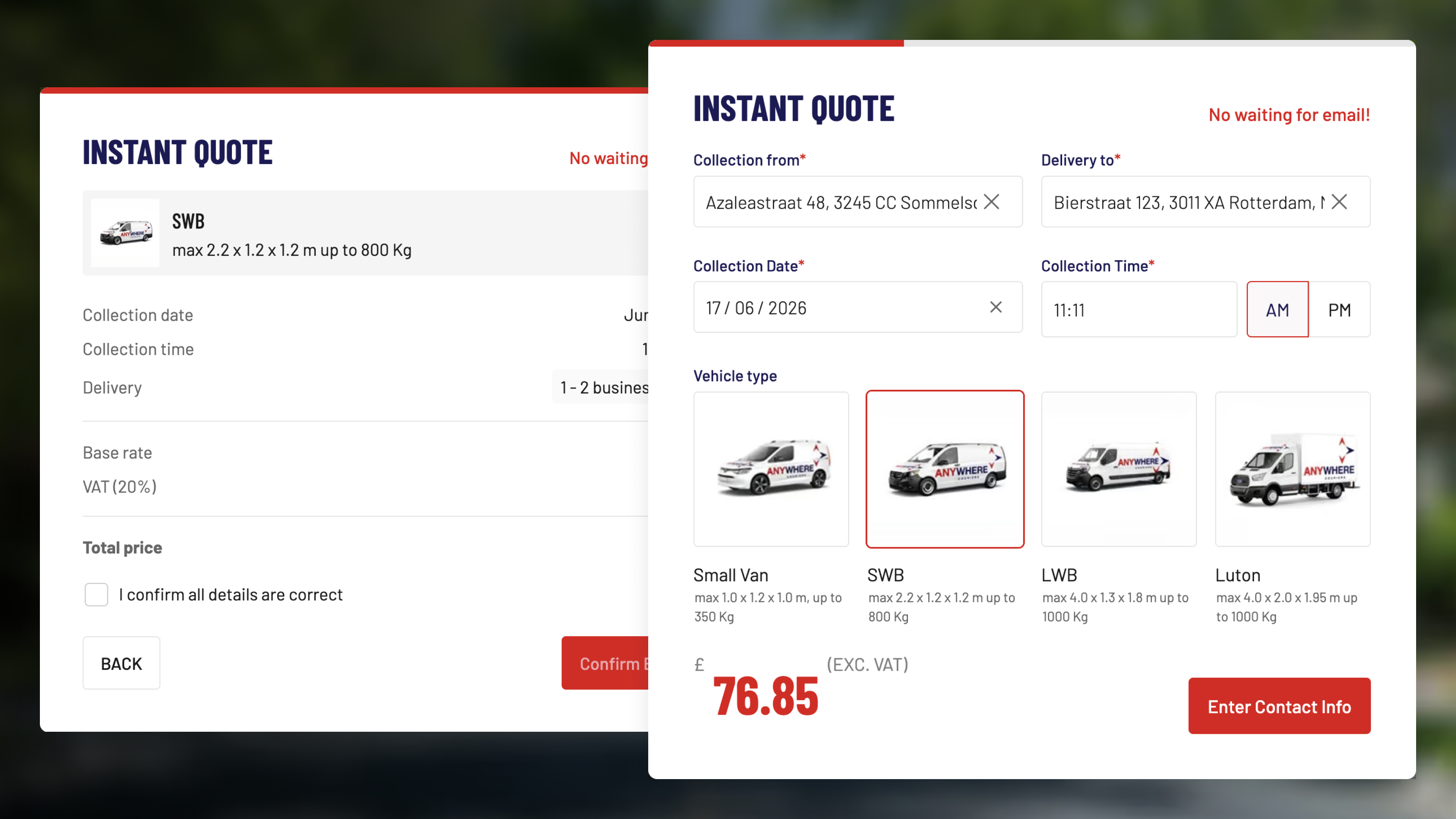
A two-step instant quote template built for courier and delivery businesses. Customers configure their job and see a live price before entering their contact details, reducing drop-off and delivering complete, qualified booking requests.
The template includes:
- Collection and delivery address inputs with a clear and separate field for each location
- Collection date picker and time input with AM/PM toggle
- Vehicle type selector with four card-style options each displaying a vehicle image, name, dimensions, and maximum weight capacity
- Live price display showing the calculated quote excluding VAT, updating as vehicle type is selected
- Two-step progress indicator separating job configuration from contact details
- Contact step collecting company name, collection reference, contact name, international phone number, email, and a special instructions field with a descriptive placeholder
- Configurable notice block for displaying additional information such as a phone number for complex or multi-collection orders
- Get an instant quote CTA submitting the full job configuration and contact details together
Follow these steps to make the template your own:
- Configure vehicle options Update the vehicle card labels, images, dimensions, and weight capacities to match your actual fleet
- Set vehicle pricing Assign a base rate to each vehicle type and configure any distance-based pricing logic
- Update VAT and pricing display Adjust the tax label and calculation to match your local requirements
- Update address field labels Edit the collection and delivery field placeholders to reflect your service terminology
- Configure the notice block Update the helper message on the contact step with your own phone number or multi-collection policy
- Customise contact form fields Add, remove, or rename fields to match the information you need before confirming a booking
- Update the special instructions placeholder Edit the example text to reflect the details most relevant to your operation
- Connect form submissions Link the submit action to your email, CRM, or dispatch management tool
- Replace the background image Swap the hero background with an image relevant to your brand or vehicles
- Match your branding Update colours, fonts, and logo throughout both steps
- Test address and vehicle combinations Verify pricing calculates correctly across all vehicle types before going live