








What you'll learn
- Whether AI-generated websites are inherently insecure
- Which security risks matter to a non-technical business owner
- What Lovable and Base44 currently do to protect applications
- How generated-code and configuration platforms differ
- Why platform security does not eliminate business responsibility
- When an independent security review is appropriate
- What to check before collecting customer information
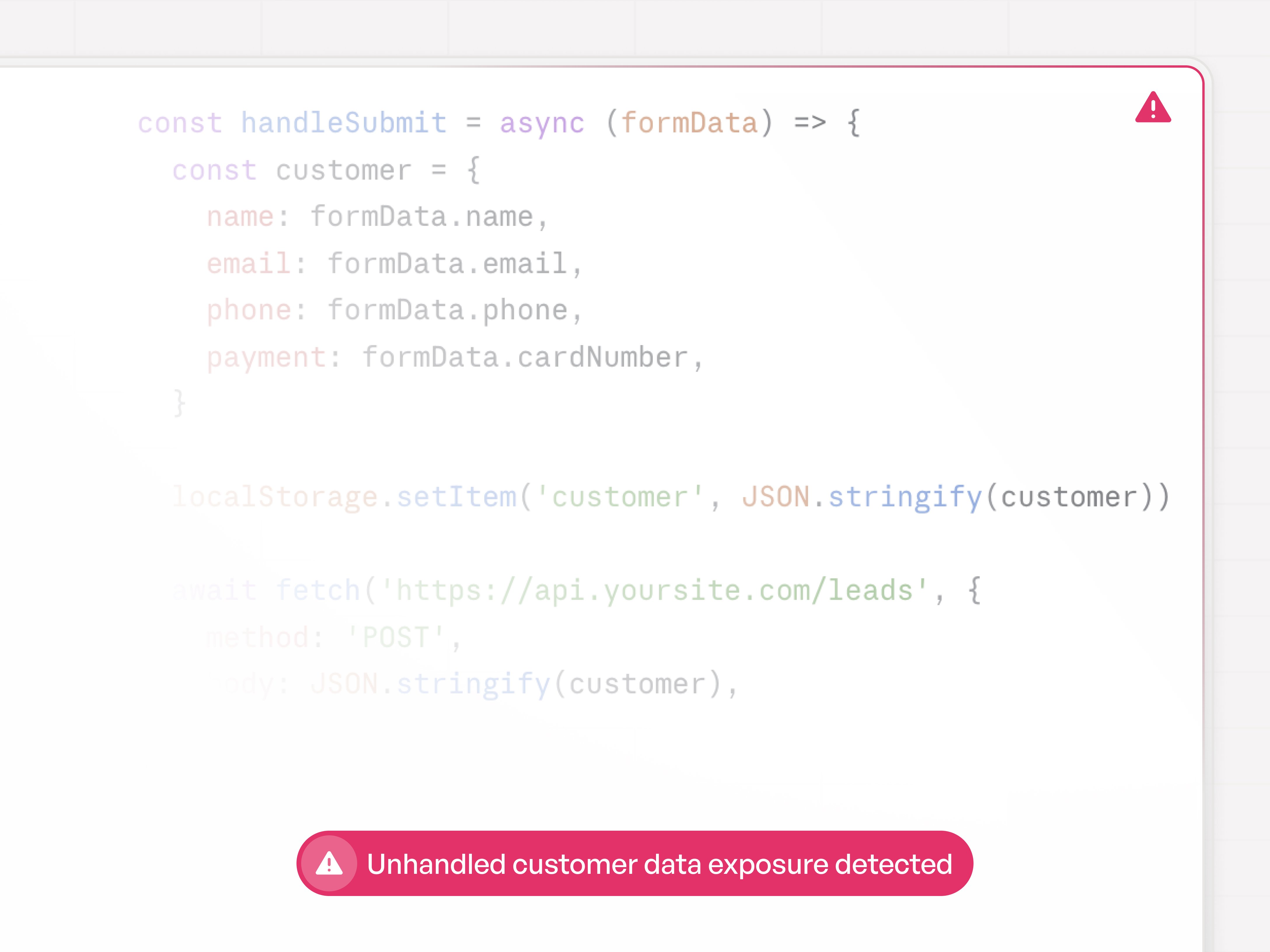
Your website may collect names, email addresses, phone numbers, booking details, project specifications or payment information.
If it was built with an AI application builder, an important question follows:
Who checked that the application handles that information securely?
AI platforms such as Lovable, Bolt and Base44 allow people without traditional development skills to create functional web applications from written instructions.
That accessibility is valuable. A business owner can launch a customer portal, quotation system, intake form or booking application without assembling a conventional software-development team.
But making software easier to create does not remove the need to secure it.
Modern AI builders provide hosting protections, security settings and automated checks. Some platforms can identify exposed secrets, vulnerable dependencies, weak database permissions and common code problems.
Those safeguards reduce risk. They do not prove that every generated application is secure.
The amount of checking you need depends on what the application does, what information it stores and what could happen if something goes wrong.
Key insights
- AI-generated code is not automatically insecure. It should be treated like other application code: tested, reviewed and monitored according to the risk.
- Major AI builders now include security controls. Lovable provides database, code and dependency scans, while Base44 provides encryption, security scans and data-access controls.
- Automated scanning cannot guarantee security. Lovable explicitly recommends additional professional review for applications handling sensitive data or critical functions.
- Configuration platforms reduce some forms of custom-code risk. They restrict what users can build and centralise more platform maintenance.
- Configuration does not make an application invulnerable. Incorrect permissions, exposed data, unsafe integrations and excessive data collection can still cause harm.
- The business remains responsible for how customer data is collected and used. Under the GDPR, organisations must implement security appropriate to the nature and risk of the processing.
- The right question is not whether AI wrote the application. It is whether the application has been secured and reviewed appropriately for its purpose.
Are AI-built websites secure?
An AI-built website can be secure, but security cannot be assumed merely because the application works or is hosted by a recognised platform.
An AI builder generally combines several different security layers:
- The security of the builder’s own platform
- The security of the hosting infrastructure
- The security of the generated application
- The configuration of the database and permissions
- The security of external integrations
- The account security of the people managing it
- The way the business collects and uses customer information
Some of these layers are controlled by the platform. Others depend on how the application is designed and configured.
A professional-looking interface does not reveal whether:
- Database permissions are too broad
- An API credential has been exposed
- Users can access another user’s records
- Input is validated correctly
- An authentication flow can be bypassed
- A vulnerable software dependency is present
- Sensitive information is being collected unnecessarily
Security must be evaluated separately from appearance and functionality.
Does AI-generated code create additional security risk?
AI-generated code can contain security weaknesses, particularly when users prioritise functionality without specifying or reviewing security requirements.
Research has found that people using AI code assistants can produce insecure implementations while remaining confident that their code is secure. More recent studies suggest that AI assistance may improve functional correctness without consistently improving the secure use of security-sensitive APIs.
This does not mean AI-generated code is always less secure than human-written code.
Human developers also make security mistakes. Software libraries contain vulnerabilities. Manual development can produce weak authentication, exposed secrets and incorrect access controls.
The distinctive risk is that AI enables people to produce and publish software without necessarily possessing the experience required to recognise those problems.
AI-assisted development moves much of the security burden from writing the code to reviewing what was produced.
If nobody performs that review, a working application can reach production with weaknesses that its owner cannot recognise.
What security risks matter to a service business?
The most important risks are unauthorised access, data exposure, insecure integrations and collecting information without appropriate controls.
You do not need to understand every technical vulnerability name to understand the business consequences.
Customer information could be exposed
An incorrectly configured database may allow a user to access records that should belong to someone else.
This could expose:
- Names
- Contact details
- Appointment information
- Project data
- Intake responses
- Uploaded files
- Internal notes
The risk becomes more serious when the information concerns health, finances, children or other sensitive matters.
Secret credentials could be placed in public code
Frontend code runs in the visitor’s browser and can be inspected.
API keys, private credentials and administrative secrets should not be stored there.
Lovable’s current security guidance specifically warns that frontend code is public and that secrets should be stored server-side rather than embedded in the application.
Database permissions could be too broad
Many modern applications use row-level security rules to decide which records a person may view or change.
A mistake in those rules can result in unauthorised access even when the login screen itself works correctly.
Lovable and Base44 both provide controls designed to restrict access at record level. Base44 also supports field-level rules that can limit access to particular data fields.
A software dependency could contain a known vulnerability
Generated applications often rely on external packages.
A package that was safe when the application launched may later be found to contain a vulnerability.
This creates an ongoing maintenance requirement. Security is not finished when the site is published.
An integration could send information to the wrong place
A website may be secure internally but transmit customer information through:
- A webhook
- A CRM
- An email notification
- An automation platform
- A spreadsheet
- A third-party API
Each connection expands the number of systems and people that may access the information.
The business could collect more information than it needs
Security is not only about stopping hackers.
It also includes limiting the information collected, deciding who can access it and deleting it when it is no longer required.
Under the GDPR, data protection by design and by default includes ensuring that only the personal information necessary for the specific purpose is processed.
What security protections does Lovable provide?
Lovable now provides several built-in security tools, but it does not claim that these tools replace a complete security review.
Lovable currently provides four main automated security checks:
- Row-level security analysis
- Database security checks
- Application-code security review
- Dependency auditing
It also detects API keys and encourages users to store credentials in protected server-side secrets rather than frontend code.
Some scans run when relevant files change or before publishing. The code-security review must be refreshed manually through Lovable’s Security view.
Lovable allows users to review findings by severity, attempt automatic fixes and monitor vulnerable dependencies. It also warns users before publishing with critical issues, although publishing may still be possible.
Lovable’s own documentation states that:
- Automated scanners cannot guarantee complete security.
- Users remain responsible for the requirements of their applications.
- Sensitive or critical applications may require an independent professional review.
Therefore, the accurate conclusion is not that “nobody checks Lovable code.”
Lovable does provide security checks.
The accurate conclusion is that automated platform checks are part of the security process, not proof that the application is safe for every possible use.
What security protections does Base44 provide?
Base44 provides platform-level protections, encryption, application scans and data-access controls, while requiring users to review their application settings.
Base44 says it handles several areas of security by default, including encryption, platform protections and SOC 2 controls.
It also provides:
- Application security scanning
- Data permissions
- Row-level security
- Field-level security
- Authentication and access controls
- Enterprise administration options
Base44’s documentation states that users are responsible for reviewing permissions and running security scans before publishing.
Again, the correct conclusion is not that every Base44 application is unaudited.
The platform provides safeguards, but some security decisions depend on the individual application and how it is configured.
What about Bolt?
Bolt-generated applications should also be treated as software projects whose security depends on the generated code, deployment, data services, dependencies and configuration.
The relevant questions are not limited to whether Bolt itself is a reputable platform.
You also need to know:
- Where the project is hosted
- Which database or backend services it uses
- How secrets are stored
- How user access is controlled
- Which packages are installed
- Whether the code and dependencies have been scanned
- Who will maintain the application after launch
When security documentation or controls are unclear, ask the platform directly and document the answers before using the application for sensitive processing.
Is generated code less secure than a configuration-based platform?
Generated code creates a broader application surface, while a configuration platform restricts users to components and behaviours maintained by the platform.
That difference matters, but it should not be exaggerated.
How generated-code platforms work
Platforms such as Lovable generate application code that can be viewed, modified and exported.
This provides:
- Greater flexibility
- More custom functionality
- Code ownership
- Developer access
- Portability
It also creates more responsibility.
The project may contain:
- Custom application logic
- External packages
- Authentication rules
- Database policies
- Server functions
- API connections
- User-written or AI-written code
These elements must be tested and maintained.
How configuration platforms work
A configuration-based platform allows the user to assemble and configure functionality from a controlled set of components.
The user may configure:
- Questions
- Formulas
- Conditions
- Inputs
- Actions
- Integrations
- Permissions
- Display rules
Because users are not generating an entirely bespoke application stack, the platform can test and update more of the shared system centrally.
This can reduce the number of code-level decisions made separately for every project.
However, it does not remove risk.
A configuration-based application can still expose data through:
- Incorrect visibility settings
- Weak account permissions
- Unsafe integrations
- Public links
- Misrouted notifications
- Excessive data collection
- Human error
- Vulnerabilities in the platform itself
A closed system also creates reliance on the platform provider to maintain its shared infrastructure correctly.
The practical difference
| Security question | Generated-code platform | Configuration platform |
|---|---|---|
| Can the application include custom code vulnerabilities? | Yes | Usually less custom code is exposed to the user |
| Can vulnerable dependencies affect the project? | Yes | Mostly managed centrally by the platform |
| Can users misconfigure data access? | Yes | Yes |
| Can integrations expose information? | Yes | Yes |
| Can the platform update shared infrastructure centrally? | Partly; custom project code may still need attention | Usually to a greater extent |
| Is an external review sometimes appropriate? | Yes | Yes, particularly for sensitive or critical processing |
| Does the platform guarantee complete security? | No | No |
The safer architecture depends on the use case.
A tightly controlled configuration platform may be easier for a non-technical business to operate securely.
A generated-code platform may be appropriate when the business needs custom software and has the expertise to review and maintain it.
Does paying for a premium plan make an AI-built application secure?
A paid plan may unlock important security and governance features, but payment does not automatically validate the application’s design or configuration.
A higher plan may provide:
- Code access
- Security centres
- Role-based permissions
- Single sign-on
- Audit information
- Enterprise governance
- Additional support
- Data-region options
Those capabilities can materially improve security management.
But they do not guarantee that:
- Database rules are correct
- Every integration is safe
- The application collects only necessary data
- Custom logic has no flaws
- Staff permissions are appropriate
- The business complies with its legal obligations
A paid plan buys capabilities. The business still has to use them correctly.
Who is responsible for customer data?
The business deciding why and how customer information is collected will generally have responsibilities as the data controller.
Under the GDPR, a controller determines the purposes and means of processing personal data.
A platform processing information on the business’s behalf may act as a processor. The relationship should be governed by an appropriate contract, and the controller must select suitable processors and ensure that security obligations are addressed.
Article 32 of the GDPR requires controllers and processors to implement technical and organisational measures appropriate to the level of risk.
Relevant measures can include:
- Encryption
- Confidentiality
- Integrity
- Availability
- Resilience
- Recovery processes
- Regular testing and evaluation
This is a risk-based obligation.
A simple contact form collecting an email address does not require the same controls as a system collecting health records or processing payments.
The phrase “the platform is GDPR compliant” does not automatically make every application built on that platform compliant.
The business must still consider:
- What data it collects
- Why it collects it
- Where it goes
- Who can access it
- How long it is retained
- Which processors and subprocessors are involved
- How individuals exercise their rights
- What happens if a breach occurs
Is ConvertSite automatically more secure?
ConvertSite’s configuration-based model can reduce some risks associated with maintaining bespoke generated code, but ConvertSite should not claim that any platform is completely secure.
ConvertSite users configure supported components, formulas, conditions and integrations rather than receiving an unrestricted custom application codebase.
This gives the platform provider more central control over the shared system and can make ongoing maintenance simpler for a non-technical business.
ConvertSite also publishes a Data Processing Agreement stating that it acts as a processor for relevant customer data and will implement technical and organisational measures appropriate to the risk under Article 32 of the GDPR.
However, ConvertSite users still need to make responsible decisions about:
- Which information to collect
- Who receives form submissions
- Which integrations to connect
- Who has access to the account
- What is included in email notifications
- Whether sensitive information belongs in the workflow
- How consent and privacy information are presented
- How long submitted information is retained
The strongest positioning is not:
ConvertSite cannot have security vulnerabilities.
It is:
ConvertSite limits the amount of custom application code a non-technical owner needs to create and maintain, while keeping business rules visible inside a controlled platform.
That is a meaningful advantage without making an impossible promise.
Do you need a security audit?
A professional security review becomes more important as the sensitivity, complexity and potential consequences of the application increase.
Consider an independent review when the application includes:
- Authentication and user accounts
- Private customer records
- Health or medical information
- Financial information
- Children’s information
- Uploaded documents
- Payment processing
- Administrative dashboards
- Multiple user roles
- Custom APIs
- Complex database permissions
- High transaction volumes
- Business-critical operations
A basic marketing website with a simple contact form may not require a penetration test.
A custom application storing sensitive client records deserves a much higher level of scrutiny.
Lovable itself recommends considering professional review for sensitive or critical applications because automated tools cannot guarantee complete security.
What should you check before publishing an AI-built application?
1. List every type of information collected
Include:
- Contact details
- Appointment information
- Addresses
- Uploaded files
- Health information
- Payment information
- Login credentials
- Project details
- Internal notes
Remove fields that are not genuinely necessary.
2. Identify where the information is stored
Ask:
- Which database holds it?
- In which country or region?
- Is it encrypted?
- How is it deleted?
- Is it copied into other tools?
- Does it appear in email notifications?
3. Review permissions
Confirm:
- Which users can see each type of record
- Whether visitors can access other users’ records
- Who has administrator privileges
- Whether former staff still have access
- Whether public and private pages are clearly separated
4. Protect credentials
Do not place private API keys, passwords or administrative credentials in public frontend code.
Use the platform’s protected secrets system or a secure server-side service.
5. Run the available security scans
Refresh scans after meaningful changes.
Review:
- Code findings
- Database findings
- Dependency warnings
- Exposed secrets
- Authentication settings
Do not assume that a scan performed before a major change still describes the current application.
6. Test the application as different users
Attempt to access information while:
- Logged out
- Logged in as a normal user
- Using another test account
- Visiting a copied record URL
- Changing identifiers in a URL or request
This can reveal permission failures that ordinary happy-path testing misses.
7. Review every integration
Document what is sent to:
- Spreadsheets
- CRMs
- Automation tools
- Analytics platforms
- Payment providers
- External APIs
8. Create a maintenance plan
Decide:
- Who reviews security findings
- Who updates vulnerable dependencies
- Who responds to an incident
- How often access is reviewed
- When an external audit will be repeated
- What happens if the original builder leaves
What should you ask an AI website builder about security?
Ask the platform:
- Does it scan generated code?
- Does it scan software dependencies?
- How are API secrets stored?
- How are database permissions controlled?
- Which security checks run automatically?
- Can a project be published with unresolved critical findings?
- Who is responsible for fixing project-level vulnerabilities?
- What compliance reports are available?
- Where is customer data stored?
- Which subprocessors are used?
- Is a Data Processing Agreement available?
- How can data be exported or deleted?
- What account permissions and authentication controls exist?
- What support is provided after a security incident?
- When does the platform recommend an independent review?
A serious platform should be able to answer these questions clearly.
Security is a process, not a platform badge
The useful distinction is not:
Human code is secure and AI code is unsafe.
Nor is it:
Generated code is dangerous and configuration platforms cannot be compromised.
The real distinction is between applications whose risks are understood and managed, and applications that are published without appropriate review.
AI builders have made sophisticated application development accessible to far more businesses.
That creates opportunity.
It also means that business owners can now create systems involving customer data, authentication and automated decisions before they fully understand the responsibilities that come with them.
The response is not to avoid AI.
It is to match the security process to the risk:
- Use built-in safeguards.
- Collect only necessary information.
- Configure access carefully.
- Review integrations.
- Keep scans current.
- Maintain the application.
- Seek professional review when the consequences justify it.
Your customers do not need you to promise that nothing can ever go wrong.
They need evidence that you understand what the application handles, which safeguards are in place and who will act when a risk is found.
FAQ
Frequently asked questions answered







Use cases
