





Landing page conversion rate: how to measure it and decide what to fix






Pira Seligman
Pira Seligman

A landing page conversion rate tells you how often visits lead to a particular action. Before you judge the percentage, decide which action matters.
Someone opening a calculator, sending a quote request, and becoming a customer have done different things. If your report puts them in the same conversion count, a higher rate can hide a weaker business result.
For a service business, start with a completed, valid request. Then check how many of those requests fit the work you can deliver and eventually become customers.
For a session-based measure, use:
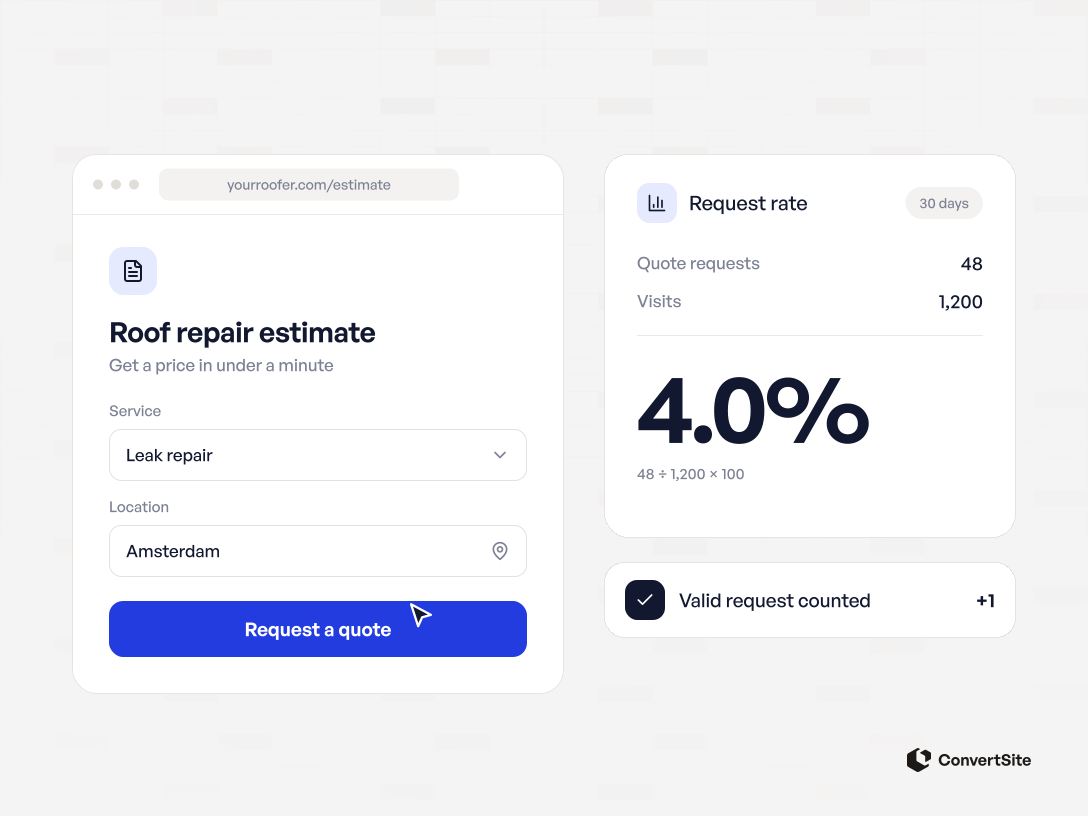
Landing page conversion rate = sessions with the chosen action ÷ landing-page sessions × 100
Suppose a campaign brings 1,000 sessions to a page and 40 of those sessions produce a valid quote request. The request conversion rate is 4%.
This is an illustrative calculation, not a ConvertSite customer result. A session is a visit recorded by your analytics system. The same person can have several sessions.
Count a session once even if the person clicks the button twice. Use the same date range and traffic population for both parts of the calculation. Exclude your own tests consistently.
If you use people rather than sessions, calculate a user-based rate and label it that way. Mixing requests, people, and sessions makes comparisons difficult to trust.
In Google Analytics 4, important actions are called key events. Its session key event rate counts sessions containing a key event. Check which event is selected before comparing the report with your own request count.
A useful rate produces enough suitable opportunities at a cost your business can support. The number depends on the offer, traffic source, buying decision, and action being measured.
For context, Unbounce's 2024 Conversion Benchmark Report reports a median landing-page conversion rate of 6.6% across the industries it studied. That is a historical benchmark from its own platform, not a target for every service business or a new 2026 measurement.
Use a benchmark to prompt questions. Compare your own performance with similar traffic, the same offer, and the same conversion definition before deciding what to change.
A free checklist signup and a request for a substantial renovation project ask for different levels of commitment. Their percentages need that context.
Suppose two versions of a page produce the following results. These figures are hypothetical. Each counted session generates at most one accepted request.
| Measure | Version A | Version B |
|---|---|---|
| Landing-page sessions | 1,000 | 1,000 |
| Sessions producing a valid request | 40 | 30 |
| Sessions producing a request that meets your qualification criteria | 20 | 24 |
| Request conversion rate | 4% | 3% |
| Qualified-request conversion rate | 2% | 2.4% |
Version B produces fewer requests but more that meet the stated criteria. Whether it is better commercially still depends on acquisition cost, sales effort, and the jobs won.
Define those criteria before reviewing the results. A cleaning company might require a supported service and an address inside its service area. An agency might require a problem it can solve and a budget that fits its offer.
Opening a result or sharing an email address does not establish those things by itself. Keep the reason a request qualified alongside its status.
Look at the steps between arriving and sending a request. A useful measurement plan distinguishes starting the interaction, reaching a result, and successfully submitting details.
Those steps help you locate a problem. They do not all need to become the campaign's primary conversion.
If visitors rarely start, check the promise and the first screen. An ad offering a cleaning estimate should lead to a page that explains what the estimate covers and how to get it.
If visitors start but stop at a question, try that step yourself on a phone. Check confusing wording, unavailable options, and required information the buyer may not have yet.
If people reach a price and leave, the price may be outside their budget. They may also be unsure what it includes. Read the scope and exclusions before deciding that the number is the problem.
If requests arrive but rarely progress, review the messages and follow-up. Your page may leave an important condition unanswered. The landing-page lead-quality guide covers that diagnosis in more detail.
Some buyers need a price range. Others need to know which package fits or whether you serve their location. Choose the question your page can answer reliably.
A cleaning quote calculator is one starting point. Its template asks about the job and shows an estimate before the contact form. Replace its sample rules with your own prices and service conditions.
When an inspection is necessary, explain what you can estimate and what still needs checking. A useful range with clear assumptions is more honest than a precise-looking price your team cannot honour.
Use ConvertSite's landing-page builder to connect the questions, result, and next step. Keep the rules editable so a change in your offer can be reflected on the page.
Treat this as a change to test. An interactive result can help a buyer decide, but it does not guarantee a higher conversion rate.
Write down what changed and why. For example: visitors ask whether the estimate includes materials, so the result will now show that scope explicitly.
Keep the definition of a valid request stable. Compare traffic sources and devices separately when the sample supports it. A change in the mix of returning visitors and new paid traffic can move the total rate.
Allow time for requests to become customers. Comparing this week's new leads with last month's completed sales gives the older group more time to progress.
A before-and-after movement is an observation. Seasonality, campaign targeting, and follow-up can contribute. If you run a controlled experiment, decide the outcome, allocation, and stopping rule before judging it. A few conversions cannot establish a reliable winner.
Start with the buyer decision your page currently leaves unanswered. Fix that step, check the measurement, and follow the resulting requests through to the work your business actually wants.
Frequently asked questions answered