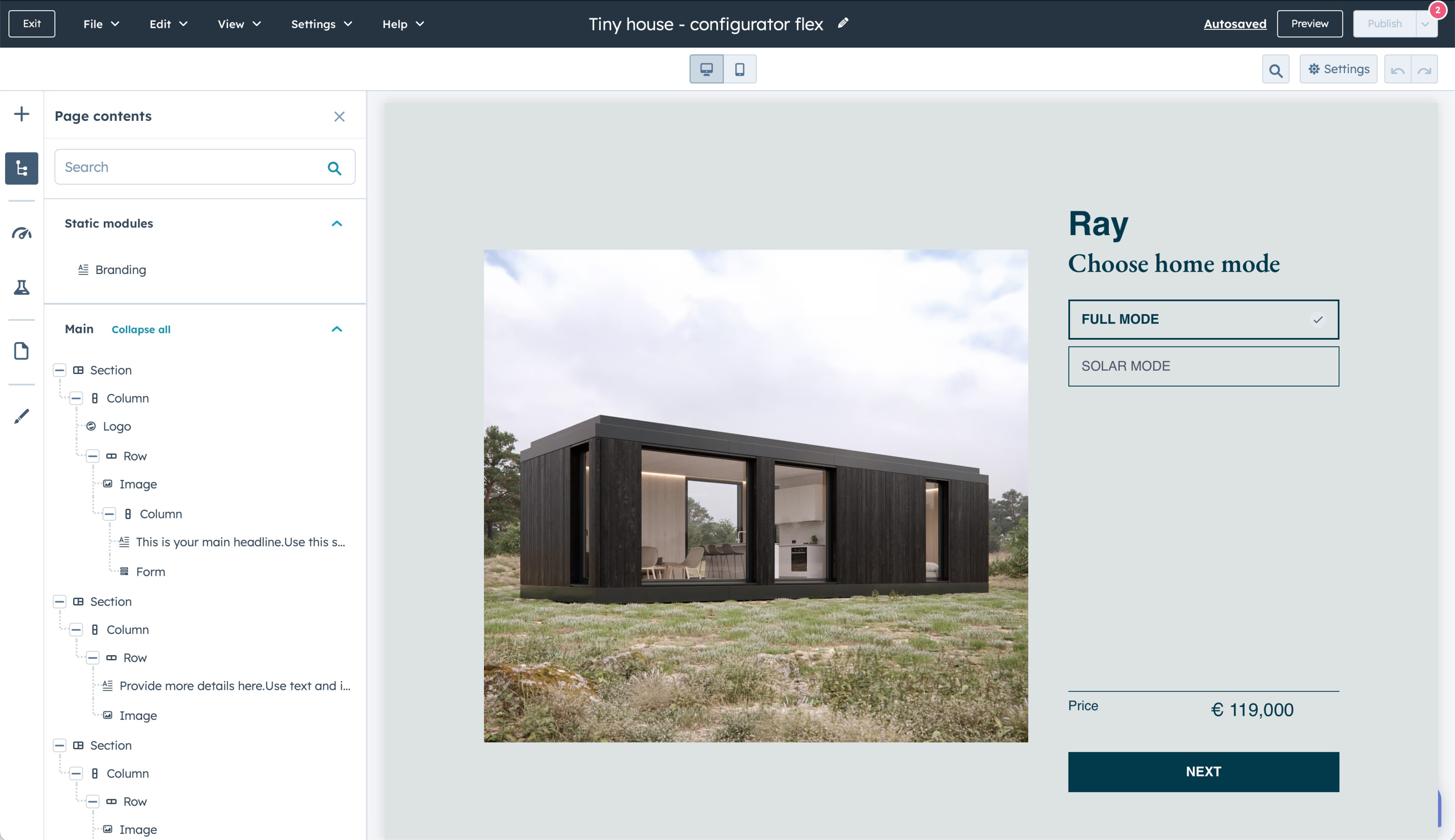


Embed a calculator or form on your HubSpot landing page to help prospects explore your products and services before they contact you.
Ask the questions that qualify each lead
Use multi-page forms and conditional logic to personalize questions as a prospect moves through the form. Collect the information you need before they enter your sales process.
Keep submitted information in HubSpot
Use HubSpot to organize the submitted information alongside your sales activity, scheduled appointments, and customer interactions.
Drag and drop
You don't need coding skills to create and launch your calculators with our software. Create dynamic forms in minutes, not hours.
Seamless Integration
Sync ConvertSite with your Hubspot tools for a harmonious workflow experience.
Templates to suit
Choose from our library of premium templates to build forms in under 5 minutes. Or use drag and drop to easily build a form from scratch.
“We were spending 3-7 days to price and quote a project. With our lead funnel, it's completely automated.”
Commonly asked questions on Hubspot calculator plugins

+
How can I add ConvertSite forms and calculators to my HubSpot landing pages?
Adding ConvertSite forms and calculators to your HubSpot landing pages is straightforward. Here's how to do it:
Create Your Form or Calculator: First, design your custom form or calculator on ConvertSite. Tailor it according to your needs, whether it's for calculating prices, taking bookings, or capturing leads.
Get the Embed Code: Once your form or calculator is ready, ConvertSite will provide you with an embed code.
Access Your HubSpot Landing Page: Log in to your HubSpot account and navigate to the landing page where you want to add the form or calculator.
Embed the Code: In HubSpot, add a section to your landing page and go to the custom HTML field. Paste the embed code from ConvertSite here.
Preview and Publish: Before going live, preview your landing page to ensure the form or calculator appears as expected and functions correctly. Once satisfied, publish or update your landing page.
+
Can I customize ConvertSite tools to match my HubSpot landing page design?
Yes, ConvertSite allows you to adjust the look and feel of your tools to match your HubSpot landing page branding and design perfectly. From colors and fonts to layout and functionality, you can ensure your calculator or form aligns with your brand identity.
+
Are ConvertSite tools mobile-friendly for HubSpot pages?
Yes. All ConvertSite tools are fully responsive and mobile-friendly, ensuring a seamless experience for users on any device. This means your HubSpot landing pages will maintain their effectiveness and user engagement regardless of how visitors access them.
+
+
+
Your website should be your hardest-working employee_
Founders using ConvertSite have cut quoting costs by 97%. Doubled bookings. Taken their first real vacations.
Standalone sites run on their own domain. Embeds, like quote forms, calculators and configurators, work your existing website, including ones not built with ConvertSite.