




Contact form examples for service businesses: what to ask and what happens next






Pira Seligman
Pira Seligman

A contact form should collect what your team needs to give a useful first reply. That changes with the service.
A wedding photographer needs a date and location. A cleaning company needs enough detail about the property to discuss the job. An agency needs to understand the problem before recommending work.
Start with the decision you make after a request arrives. Ask for the information that changes that decision, explain what happens next, and leave room for details your choices cannot cover.
The examples below combine existing ConvertSite templates with suggested form designs. They are starting points to adapt, not evidence that one layout will convert better for every business.
The Wedding Photography Contact Form collects event date, location, duration, and contact details. It also gives the couple space to explain what they are planning.
That context helps the photographer respond to the actual event. A date affects availability. Location affects travel. Coverage affects the package worth discussing.
Keep the date question flexible enough for someone still comparing venues. If a detail is genuinely unknown, let them say so rather than choose an invented answer to get through.
After submission, confirm that the request was received and explain when they should expect a reply. Use a response window your team can maintain. Sending a message should not imply that the date is reserved.
This is a good fit when a personal discussion matters before pricing or booking. If visitors can choose a package from clear rules, a photography price-quote flow may be a better starting point.
A message saying someone wants a clean leaves several decisions open. Your team needs to know what is being cleaned and what the visit should cover.
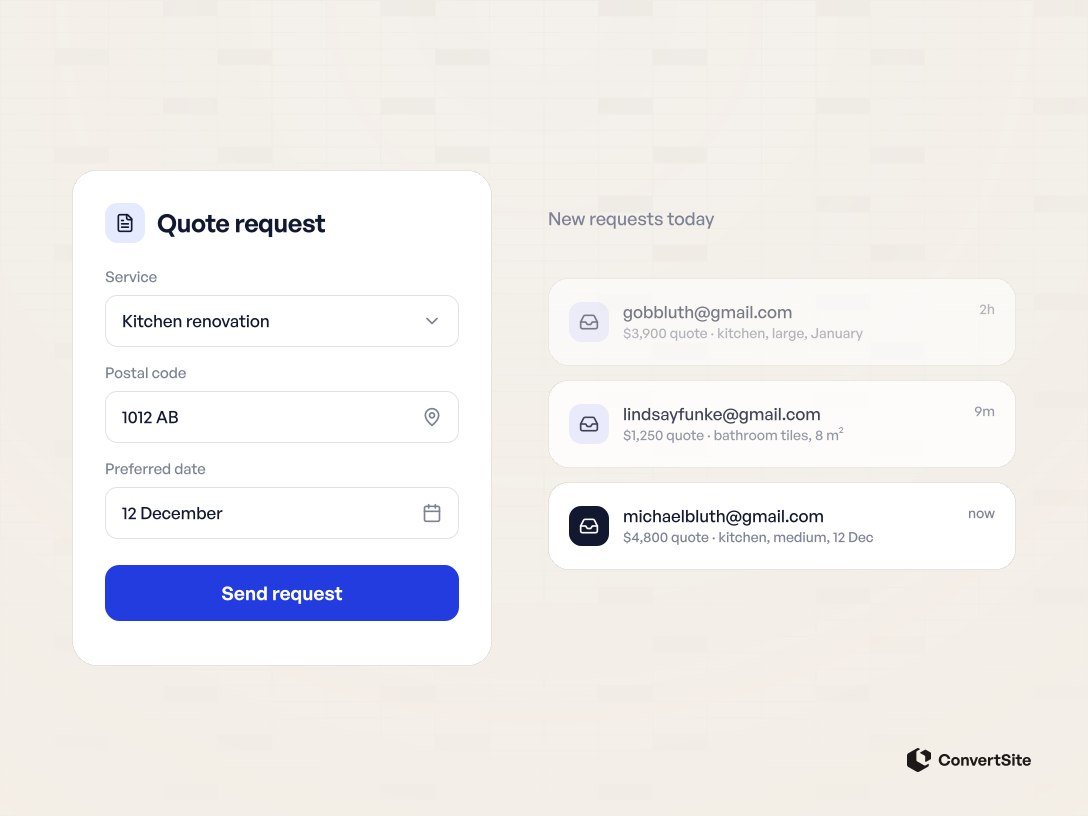
The Home Cleaning Quote Calculator demonstrates a price-first approach. Visitors describe the service and home, see an estimate, and can send their details with that estimate attached.
For your own version, explain the assumptions behind the range. Make clear which tasks are included, what could change the final price, and how you handle jobs that need a closer look.
Check service area separately. Showing a property estimate does not confirm that you can reach the address. Decide what the page should say when the postal code falls outside your coverage.
The first reply should refer to the job the visitor described. Asking them to repeat their selections creates extra work and makes the form less useful.
Use this approach when your pricing rules support a meaningful estimate. Choose a structured quote-request form when the job needs photos, a site visit, or a manual review before any number is useful.
An agency's contact form can help someone explain the work they need. Asking them to choose a service name may be difficult when diagnosing that need is part of your job.
The Agency Package Builder shows one way to connect commercial questions to a proposed scope. It covers the desired outcome, channel needs, budget, and who will handle the work.
Adapt the questions to one offer you can deliver. If the budget includes your fee and advertising spend, say so. If it covers only the agency fee, make that equally clear.
The proposed scope should explain what the prospect can review on a call. Leave unresolved issues visible. You may still need to inspect tracking, access, or delivery capacity before confirming the engagement.
Read the agency discovery-call example for a more detailed walkthrough. This kind of form is useful when your first conversation involves choosing an approach rather than taking a fixed order.
Sometimes the visitor needs a person to call them. A full estimator would add work without helping them take that step.
For a callback form, ask for a name, contact number, service area, and a short description of the job. Add a preferred time if your team can use it. Explain what happens when the requested time is unavailable.
This is a suggested design, not a claim about a particular published template.
Label the button with the action, such as “Request a callback.” The confirmation should distinguish a callback request from a confirmed appointment.
Show another contact route when the visitor needs a response sooner than the form can provide. Keep that route consistent with your actual opening hours and service arrangements.
Every required field should have a reason. Here is a practical way to review the form before adding another question.
| Field | Decision it can support | When to reconsider it |
|---|---|---|
| Service type | Identify the work requested | The page already makes the service unambiguous |
| Location or postal code | Check service coverage | Geography does not affect delivery |
| Date or timeframe | Discuss availability and urgency | The buyer cannot know it yet |
| Job size or scope | Prepare an estimate or relevant reply | The input cannot be answered reliably without your help |
| Budget | Assess which offer may fit | The question has no explanation or does not affect the next step |
| Phone number | Arrange a requested call | Your team will respond only by email |
Give the visitor an optional message field for circumstances you did not anticipate. Review those messages after launch. Repeated explanations can reveal a missing choice or an unclear question.
Keep labels visible when people start typing. Explain unfamiliar terms near the relevant question. The W3C's form guidance explains why controls need labels that identify their purpose.
Distinguish required and optional answers. When an answer fails validation, explain how to correct it. A generic error after a long form gives the visitor little help.
Test the complete journey on a phone and with a keyboard. Check that selecting an option, returning to an earlier step, and correcting a mistake work as expected.
Send a test request and read what both sides receive. Confirm that your team gets the selected service and relevant job details. Check that the visitor sees an accurate confirmation.
Assign responsibility for the reply. Decide what should happen when someone is outside your area or asks for work you do not provide.
Then review which requests become useful conversations. A shorter form can receive more submissions while giving your team less context. A longer form can ask for details that never affect the reply. Neither outcome is a reason to stop checking.
Choose the ConvertSite template closest to your first sales conversation. Replace its sample content, check the receiving address, and complete a real test submission before you put it in front of customers.
Frequently asked questions answered