





11 Interactive Blog Ideas With Examples and Practical Tips





Shane Curry

Shane Curry

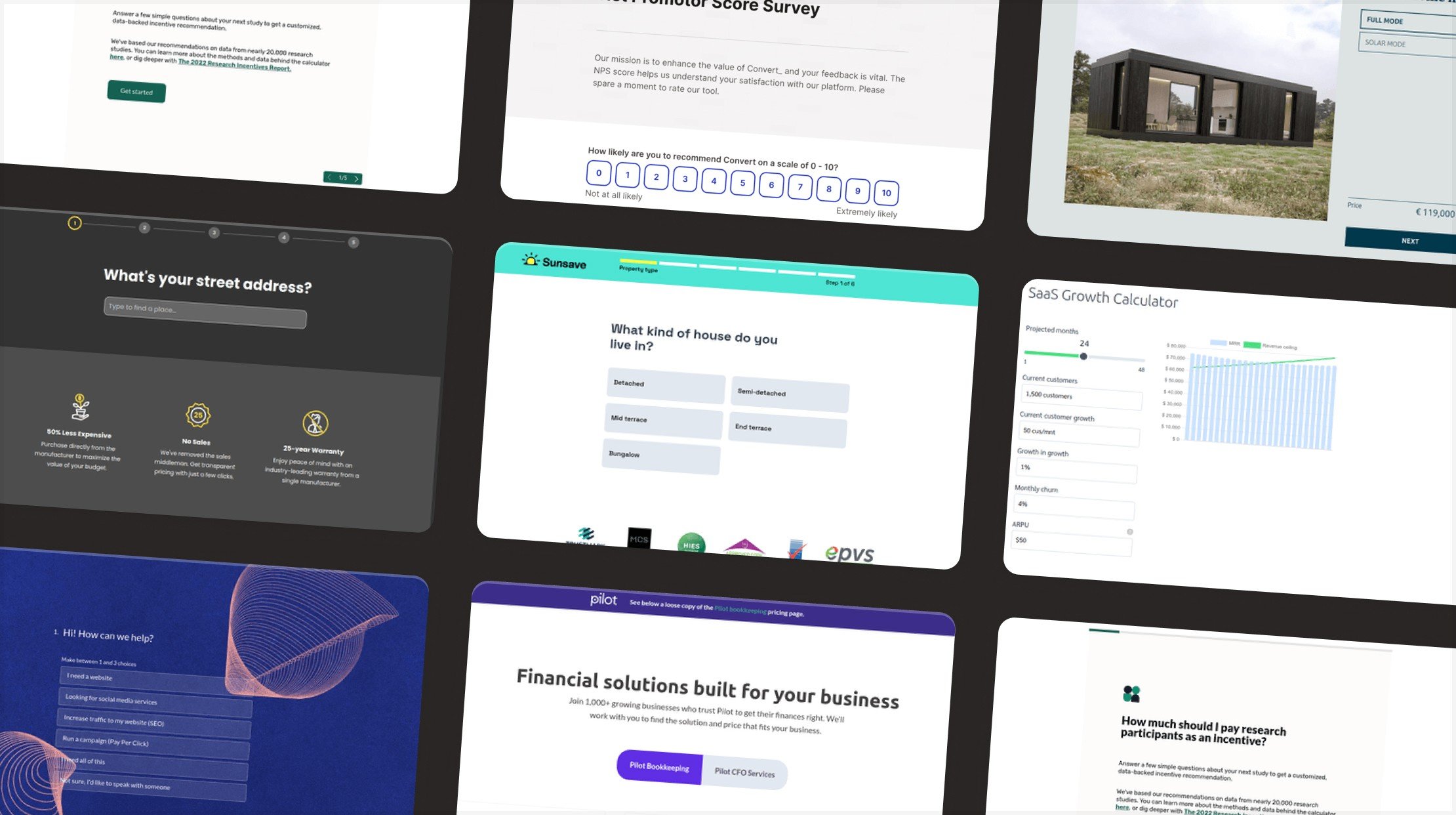
Interactive blog ideas give readers something useful to do with what they have just learned. A quiz can recommend the right service. A calculator can turn an explanation into a personal estimate. A configurator can show what different choices look like together.
An interactive blog combines an article with elements readers can answer, adjust, explore, or contribute to. The interaction should support the topic and return something useful, such as feedback, a recommendation, a price range, or a clearer understanding of the subject.
Below are 11 ways to add that experience to your blog, with practical examples and tips for choosing where each belongs.
| Interactive blog idea | A suitable article topic | What the reader does | What they get |
|---|---|---|---|
| Quizzes | Choosing a skincare routine | Answers questions about their needs | A relevant recommendation |
| Surveys | Understanding customer priorities | Shares opinions or feedback | A way to influence future content or services |
| Calculators | Estimating the value of a service | Enters their own figures | A calculated result based on stated assumptions |
| Assessments | Finding gaps in a marketing plan | Answers diagnostic questions | A score, explanation, and suggested next steps |
| Interactive slideshows | Explaining a process | Moves through a sequence | A step-by-step walkthrough |
| User-generated content | Sharing project ideas | Submits an example or question | A contribution to a shared resource |
| Interactive infographics | Explaining changing costs | Adjusts a filter or explores a chart | A view of the data relevant to their question |
| Social media embeds | Discussing an industry debate | Explores an original post | Context from the source |
| Product configurators | Choosing product options | Changes a specification | A visual preview or tailored estimate |
| Interactive stories | Comparing possible decisions | Chooses a path | An explanation of the consequences |
| Animated GIFs | Demonstrating a short task | Watches a repeating sequence | A visual explanation, rather than an input-based interaction |
Quizzes invite readers to participate in your blog content. You can test their understanding of a topic or ask about their needs and recommend a relevant option.
A knowledge quiz works well after an educational section. Give feedback as readers progress so they understand why an answer is correct. A recommendation quiz belongs where the article helps people choose between products, services, or approaches.
Example: A skincare article could ask about a reader's goals, skin baseline, sensitivity, and routine preferences, then recommend an approach. The Skincare Quiz template illustrates this question-to-recommendation flow.
For a more general starting point, explore the Incentive Quiz template and adapt its questions and result logic to your topic.
ConvertSite supports lead generation quiz experiences. Set the recommendation rules and test the possible outcomes before adding a quiz to your article.
Surveys give readers a way to share opinions, feedback, and preferences. Use one when you need to understand your audience rather than recommend an answer to them.
A short survey at the end of an article could ask which topic needs a follow-up explanation. A service guide could ask which part of the buying process readers find most confusing.
Example: A photography business could use a survey alongside an article about the client experience. The Wedding Photography Feedback Form template shows a guided format with selectable answers and an open feedback step. Adapt the questions if you are surveying blog readers rather than existing clients.
Explore survey experiences in ConvertSite if collecting structured feedback is the job your article needs to do.
Embedding interactive calculators in your blogs lets readers apply the article to their own circumstances. Calculators ask for inputs, apply a formula, and return a tailored result.
Use a calculator where the reader's next question is numerical: how much, how long, how many, or what difference a change could make.
Business example: An article explaining how to evaluate a service could include an ROI calculator. Readers adjust the inputs and see how the result changes. The ROI Calculator B2B template provides inputs and a live results panel for this type of exploration. Replace its sample figures and formulas with a model you can explain.
Educational example: An article about saving could let readers compare contributions and time periods using the Compound Interest Calculator template. State the assumptions and distinguish an illustration from a forecast.
ConvertSite's interactive calculator experiences can apply business rules to reader inputs. Choose a calculation that gives your audience a useful answer before asking them to enquire.
Assessments help readers evaluate their knowledge, readiness, or current situation against defined criteria. They are useful when someone needs to understand where they stand and what to do next.
A quiz might recommend an option. An assessment should also explain the criteria behind its score or diagnosis.
Example: A marketing article could help a business owner assess gaps in their current approach. The Marketing ROI Audit Funnel template uses diagnostic questions to produce a score, identify a bottleneck, and suggest priorities. Its calculation disclosure is a useful reminder to explain how an assessment reaches its result.
For educational content, an interactive test could instead check understanding of the previous section and explain any missed answers.
Interactive slideshows present information in a sequence that readers control. They can explain a process, compare options, or walk through a project without placing every detail on screen at once.
Example: A renovation article could show the same room through briefing, layout planning, material selection, and the finished project. Readers move through the stages and see the decision made at each one.
User-generated content involves your audience in creating the resource. Contributions might include project photos, examples, questions, reviews, or descriptions of how someone solved a problem.
Example: A woodworking tutorial could invite readers to submit a photo of their completed project and one lesson they learned. Curated examples would show how the same technique works with different materials or skill levels.
Interactive infographics let readers explore information visually. Filters, selectable categories, clickable details, and adjustable charts can make a dense subject easier to investigate.
Example: A home-energy article could let readers select a household type and explore an illustrative breakdown of energy use. The chart should name its data source and explain what each category includes.
For a calculator-driven visual, the growth chart in the Compound Interest Calculator template illustrates how changing inputs can update both a number and a chart.
Social media embeds bring an original post into your article. Use one when the source itself adds something, such as a demonstration, an expert explanation, or a conversation you are analyzing.
Example: An article about photography lighting could embed a photographer's demonstration, then explain the setup and the technique readers can try.
Product configurators let readers explore combinations of options within your content. Depending on the product, they might change a color, select a size, add accessories, or compare a tailored price.
They fit articles that help readers choose specifications or understand how options work together.
Product example: A guide to choosing a commuter bag could let readers compare capacity and accessories. The Backpack Product Configurator template includes color choices that update the product preview, capacity options, add-ons, and live sample pricing. Its checkout is a demonstration and requires a connected store and payment setup before accepting real orders.
Blog-friendly example: A coffee article could let readers choose a drink base, milk, sweetener, and finish, then see their recipe take shape. The Coffee Signature Drink Builder template shows a changing cup illustration and a menu-card preview. It does not place an order.
The visual Product Configurator template is another starting point for adapting this interaction to your own product.
Explore product configurator experiences in ConvertSite when the article's next useful step is to help a reader choose a combination.
Interactive stories let readers make choices that influence the content they see next. Decision points can lead to different explanations, scenarios, or outcomes.
Example: A marketing article could present a business with a limited campaign budget. Readers choose an audience, an offer, and a channel, then explore the trade-offs behind each decision. Label the scenario as illustrative rather than presenting fictional outcomes as evidence.
Animated GIFs can demonstrate a short process or draw attention to a change. They add motion, but an animation that plays by itself does not respond to reader input. Use GIFs as supporting visual content within an interactive blog.
Example: A tutorial could show how moving a slider changes a chart. The animation explains the control; a working calculator beside the explanation lets readers try it with their own figures.
Choose the interactive blog idea that helps readers take the next useful step. If they need a number, use a calculator. If they need to choose an option, consider a quiz. If they need to understand a combination, a configurator can make the choices concrete.
Place the interaction where the question arises in the article. Keep the explanation around it, make the result understandable, and give readers a relevant next step.
Start with one interaction and review what happens: do readers start it, reach the result, and take the intended next step? Use those observations and their feedback to improve the experience. More time on a page alone does not tell you whether the interaction helped.
ConvertSite builds interactive landing pages and sites that ask questions, apply your business rules, and give visitors a useful answer before they enquire. An experience can also sit within an existing site.
Explore the ConvertSite template marketplace for examples you can adapt. For broader guidance, read what interactive content is or how to make a website interactive.
Choose a template, define the answer your reader needs, and build your interactive page.
Frequently asked questions answered