
File upload
The File upload element lets visitors upload files, such as photos, documents, or invoices attached to a quote request. Use it when a form needs visitors to send files along with their submission.
Properties
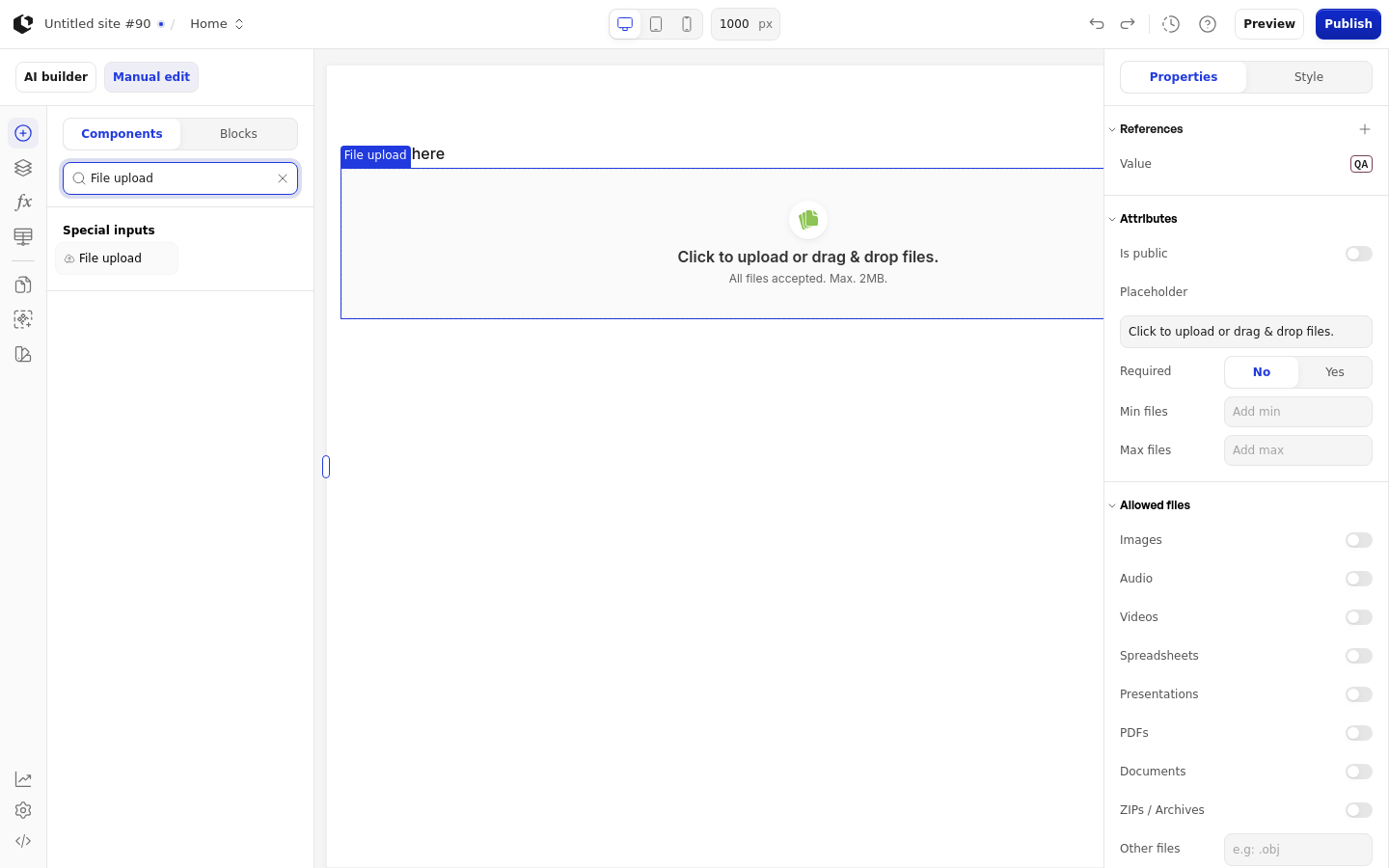
The properties live in the inspector under the Attributes, Allowed files, and Logic groups.
Property | What it does | Default |
|---|---|---|
Is public | Makes uploaded files publicly accessible | Off |
Placeholder | Text shown as the upload title | Click to upload or drag & drop files. |
Required | Marks the element as required | Off |
Min files | Minimum number of files a visitor must upload | 0 |
Max files | Maximum number of files a visitor can upload | None |
Allowed files | File types visitors can upload | All files |
Logic | Visibility logic for the element | None |
Allowed files offers these types: Images, Audio, Videos, Spreadsheets, Presentations, PDFs, Documents, ZIPs / Archives, and Other files. Other files accepts extra extensions such as .obj. With no types selected, all files are accepted.
Each file must be no larger than 2 MB. If Min files is set higher than Max files, the minimum is capped to the maximum.
References
References expose the uploaded files as data you can use in formulas and other elements. Assign a reference to store the upload in a variable.
Value: the uploaded file(s).
Data: details about each uploaded file, such as its name, size, type, and URL.
Touched: whether the visitor has added a file.
Last touched at: when the visitor last added a file.
Styling
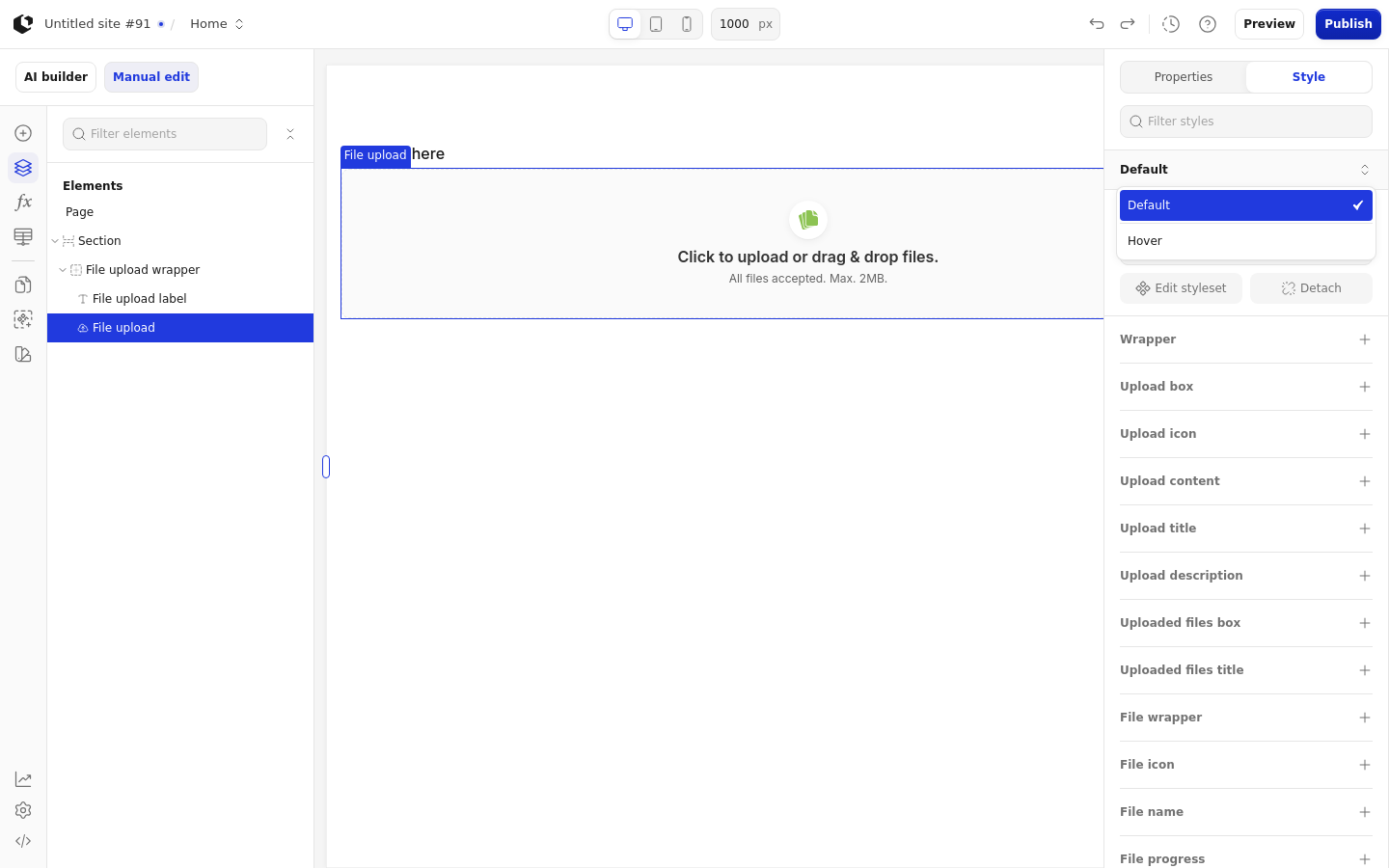
The File upload element can be styled per state and per part of the element.
Style states: Default, Hover.
Named targets: wrapper, upload-box, upload-icon, upload-content, upload-title, upload-description, uploaded-files-box, uploaded-files-title, file-wrapper, file-icon, file-name, file-progress, file-error, delete-icon.
Named style: File upload, the default style set.
Apply general styling from the Style tab: style sets and CSS overrides per state and per breakpoint. The File upload element has no quick styles of its own.
Restricted workspaces
While a workspace is restricted, visitors cannot submit new uploads through the File upload element. Files owned by the restricted workspace can only be downloaded by members of that workspace, even when the element has Is public turned on. See Restricted workspaces.
Related articles
UI Elements: overview of the elements.
FormulaScript Overview: using formulas in properties.