
Manage workspace images in the Brand library
The Brand library Images page is where your workspace stores shared images. Open the "Brand library" entry in the top workspace navigation, then the "Images" tab on the left of the page. From there you can upload images in batches, search and sort the library, and remove images you no longer need. Every image you upload here becomes available through the Asset picker when you build sites, including inside the Image element.
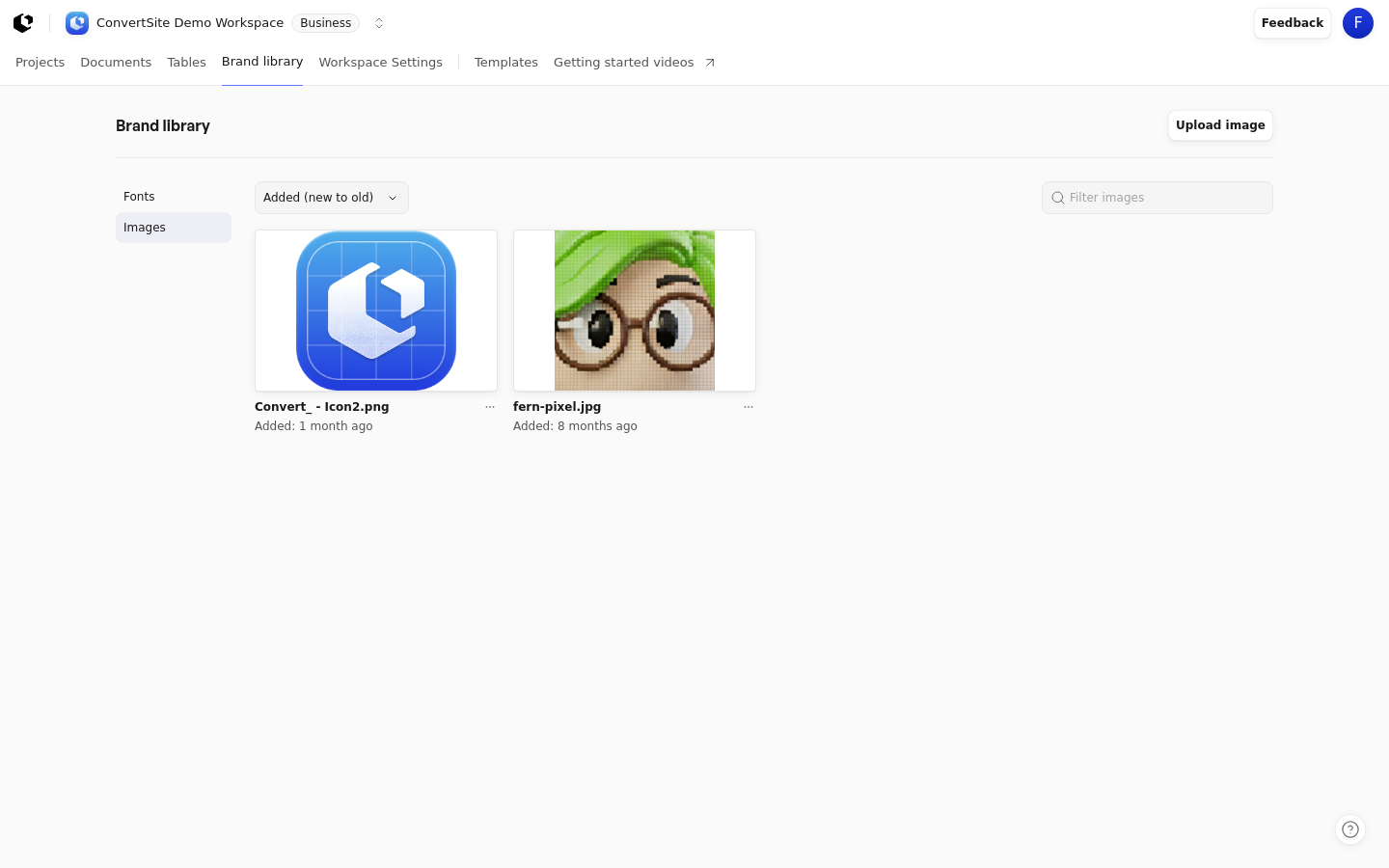
For how the library fits into your workspace as a whole, see How the Brand library works. The Fonts tab has its own workflow, covered in Manage workspace fonts in the Brand library.
Upload images
You can upload several images at once, up to 32 images or 30 MB per batch, whichever you hit first. Supported formats are JPEG, PNG, WebP, GIF, AVIF, and SVG, and each individual image can be up to 5 MiB.
Open the "Brand library" entry in the top workspace navigation, then the "Images" tab.
Click "Upload image" at the top right of the page.
Choose one image or several images in the file picker.
Each image card in the library shows its filename and the date it was added.
Find an image
Use the "Filter images" search field to find images by name. To reorder the list, sort by "Name (A–Z)", "Name (Z–A)", "Added (new to old)", or "Added (old to new)".
Remove an image
Removing an image takes it out of the Brand library and the Builder's Asset picker. It does not break anything already using the image: the stored file, its public URL, and every existing placement keep working, so published sites and drafts that already use the image are unaffected.
In the Brand library, open the "Images" tab and find the image you want to remove.
Choose "Delete image" on the image card.
Confirm the removal in the confirmation dialog.
The image disappears from the library and from the Asset picker, while sites and drafts already using it keep showing it.
Who can use the Brand library
The library is available to workspace members with a verified email. In disapproved workspaces, the editing controls are unavailable.