
Video
The Video element shows a video on your page, either from a native video asset, a YouTube iframe, or a source driven by a formula. Use it when a moving visual explains or demonstrates your product better than text or a static image.
Properties
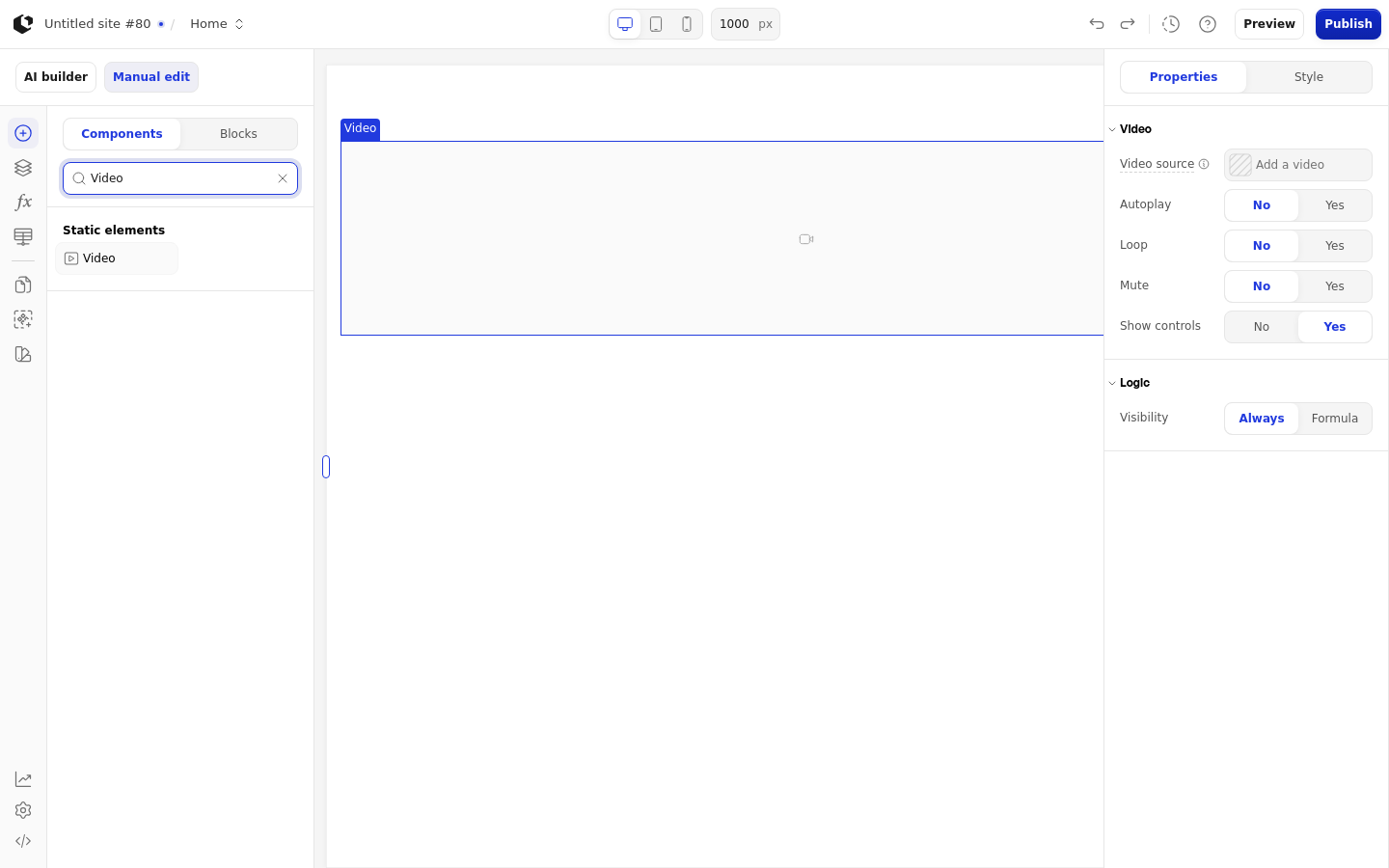
The properties live in the inspector under the Video group.
Property | What it does | Default |
|---|---|---|
Source | Sets the video source as an asset, text, or a formula | None |
Autoplay | Starts the video automatically when the page loads | Off |
Loop | Replays the video from the start when it ends | Off |
Mute | Mutes the video audio | Off |
Show controls | Shows the video player controls to visitors | On |
References
The Video element has no references, so its state is not exposed as data for use in formulas or other elements.
Styling
The Video element has a single Default style state and two named targets: wrapper and video. It has no named style set and no quick styles.
The default video style is width 100%, height auto, object-fit cover, and an aspect ratio of 19/6. There are no interactive states such as hover or focus. A missing or invalid source shows a video placeholder instead of the video.
Related articles
UI Elements: overview of the elements.
FormulaScript Overview: using formulas in properties.