
Manage your workspace name and logo
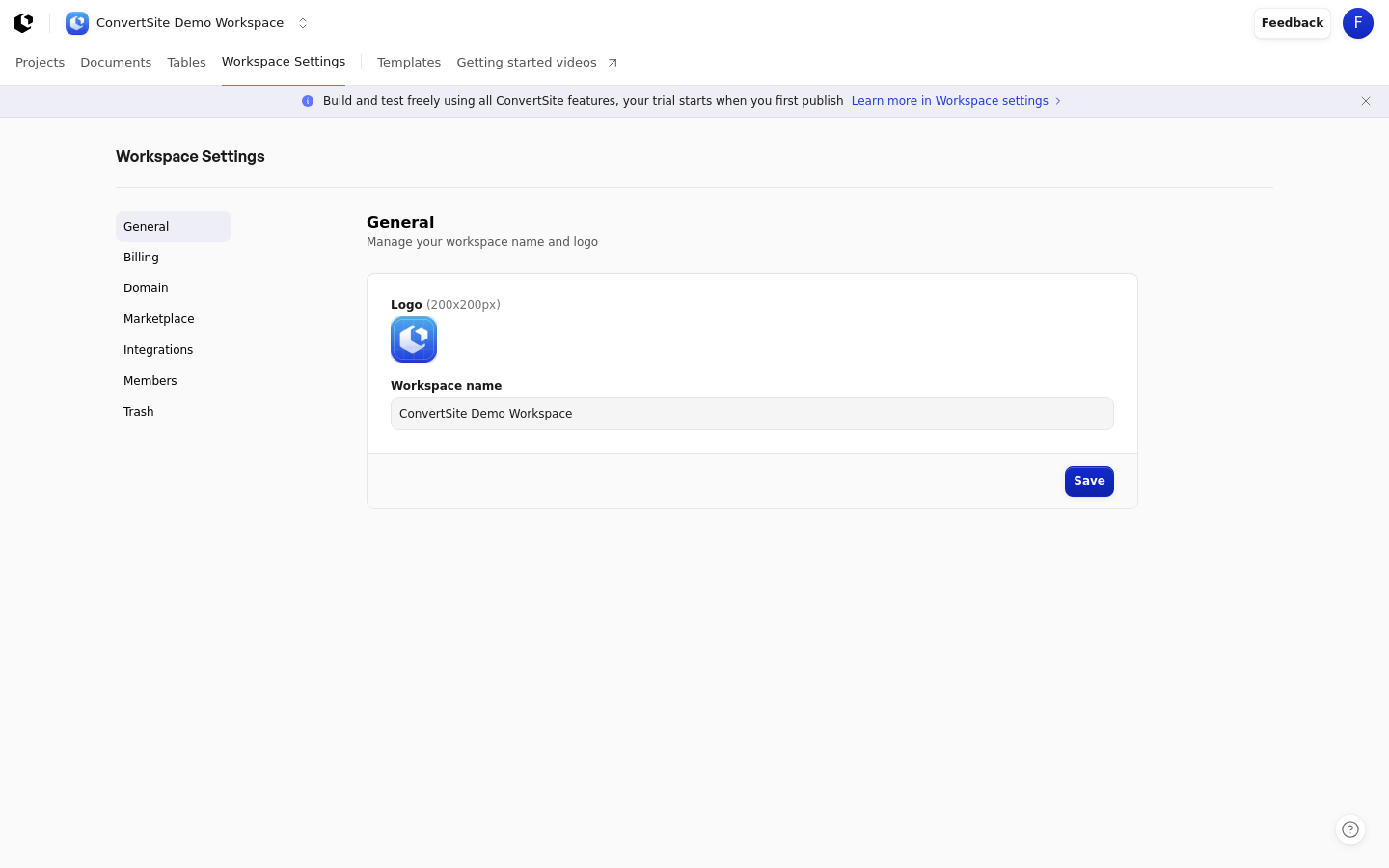
The General settings section manages your workspace name and logo, which appear across ConvertSite. You can update either at any time from Workspace Settings.
Open General settings
General settings lives at Workspace Settings > General, which you reach from the settings page at /settings. The section shows the heading "General" with the description "Manage your workspace name and logo".
Change the workspace name and logo
Open Workspace Settings > General.
In the Workspace logo and favicon (200x200px) field, upload the image you want to use as your workspace logo. The image must be 200 x 200. You can replace or remove the image at any time.
In the Workspace name field, enter the name for your workspace. This field is required and has a maximum length of 100 characters.
Click Save to apply your changes.
Your workspace logo is also the favicon for your Sites: it appears as the browser tab icon on published standalone Site pages and Site previews. Changing the logo updates the favicon without republishing. When no logo is set, published Sites use the default favicon.
A Site with its own custom icon keeps that icon instead of the workspace favicon. The workspace favicon applies to Sites and previews, not Embeds.
You can also reach the logo setting from a Site's Share settings, which show "Set your workspace logo as the favicon for all sites in this workspace." with a Set favicon link.
Add a logo when creating a workspace
The workspace creation dialog includes an optional Logo upload with a preview and a removal control. Supported formats are PNG, JPEG, WebP, GIF, AVIF, and SVG, with a maximum size of 5 MB. This upload has no dimension requirement, and you can also add a logo later from General settings.